Offline Camping Maps: Find Camp Without Cell Service
Most dispersed camping happens where your phone has no signal. A camping map works there only if you saved it before you lost the connection, and only the parts you saved.
Key takeaways
- Your phone’s GPS works without cell service, but map tiles and campsite details do not load without a connection unless you saved them first.
- Save the map before you leave signal: the area around your camp, the roads in, and the campsite details, not only the map picture.
- Apps differ in what they keep offline: some save map tiles only, some also keep campsite locations and details.
- In Camprtron, Save map offline keeps a 10-mile area around a site, with its campsites, peaks, water, trails and roads, and your ranked results.
- On iPhone and iPad, add a web app to the Home Screen; Safari can clear website data after 7 days without use.
How do you save a camping map offline in Camprtron?
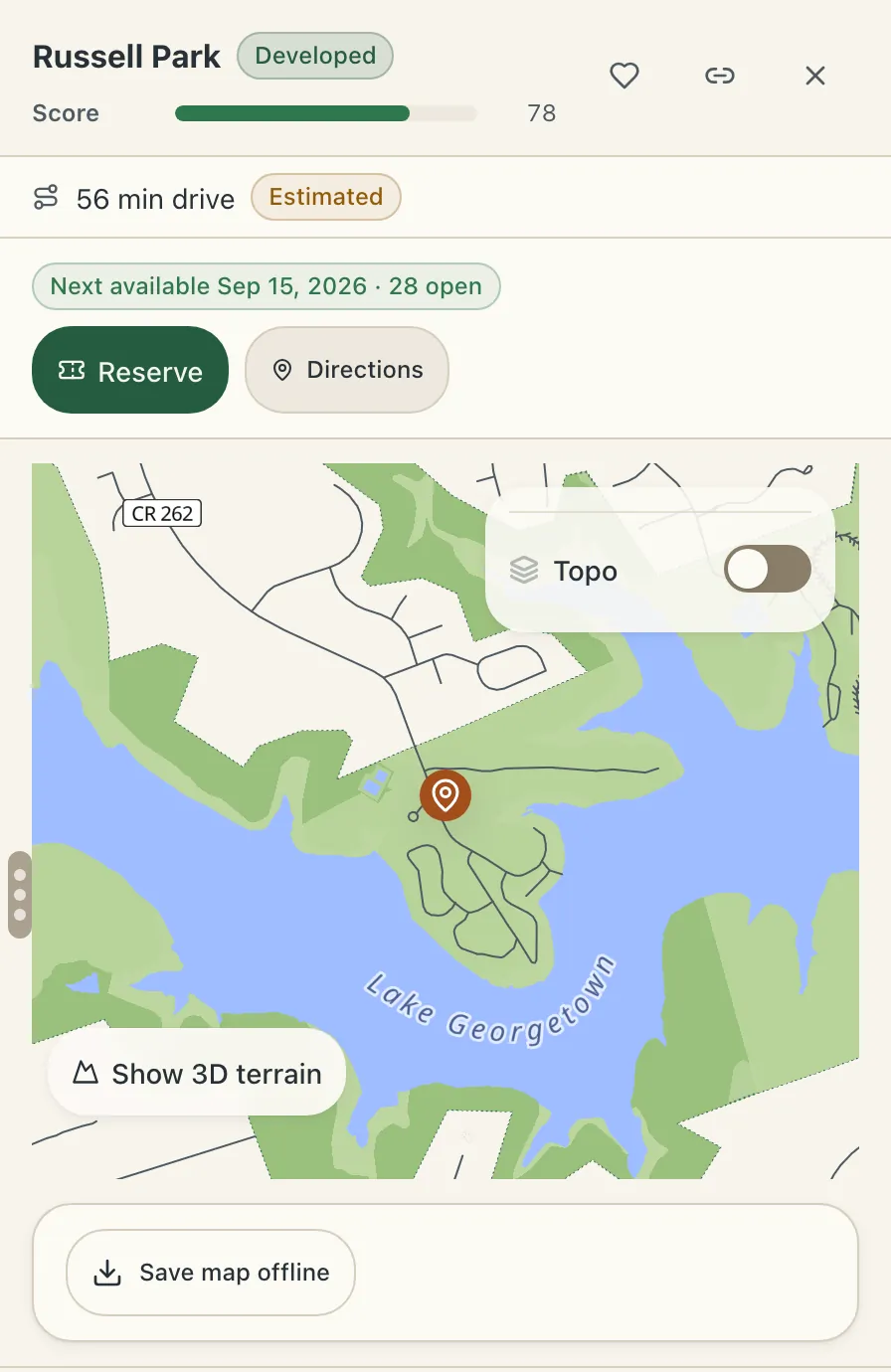
Open a campsite and choose Save map offline under its map. Camprtron shows how much it will download before it starts. After you confirm, you can keep using the app; the map keeps saving in the background, and up to 3 maps can save at the same time.
Each saved map covers a 10-mile area around the site, and you can keep up to 10 saved maps. A saved map stays on your device until you delete it.
Where do you find your saved maps in Camprtron?
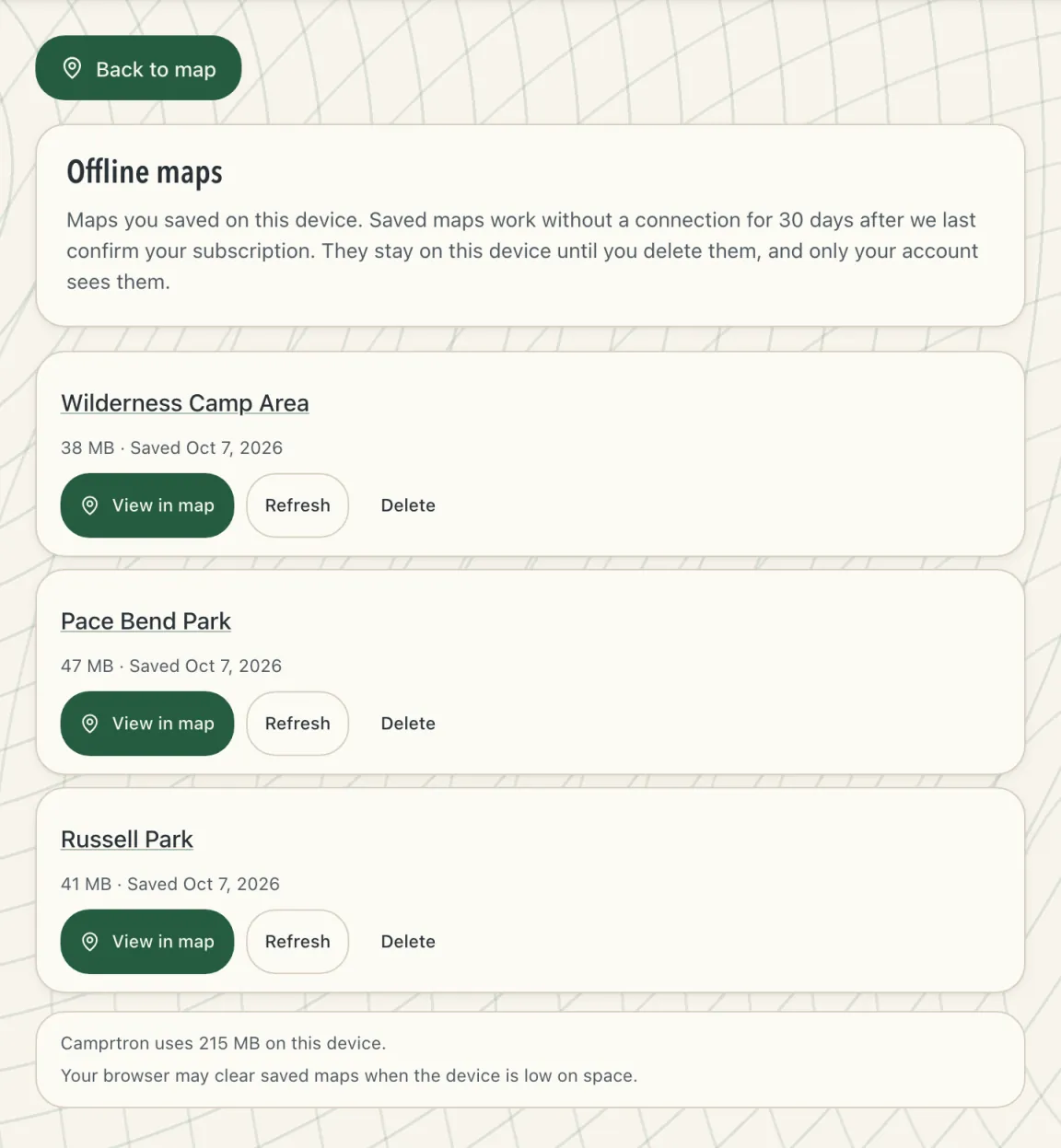
Open the account menu and choose Offline maps. The page lists every map saved on this device, with its size and the date you saved it, and how much space Camprtron uses in total.
From the list you can open a saved map in the app map, refresh it to download the latest map data, or delete it to free space. Only your account sees the maps saved on a shared device.
Do camping apps work without cell service?
Partly. The GPS receiver in your phone does not need cell service, so your position is still known. What fails is everything the app downloads: map tiles, campsite lists, photos, availability and search. Those load only from what the app saved on your device before you lost the connection.
So the useful question is what an app can save in advance. Some apps save the map picture only. Some also keep campsite locations and details, so you can still open a site and read about it at camp. A few keep nothing but your own booking details.
Does GPS work without cell service?
Yes. A phone’s GPS receiver reads satellite signals and does not need cell service or Wi-Fi, so it can still find your position deep in a National Forest. Without a connection it can take longer to get the first fix, and some phones lean on cell towers to speed that up.
Knowing your position is only useful on a map you saved, though. Without saved map tiles, an app shows a dot on a blank screen.
What should you download before a camping trip?
Save the map area around the place you plan to camp, plus the roads you will drive in on. Save the campsite details too, not only the map, so you can check road access and site notes after you lose signal.
For National Forest land, download the Motor Vehicle Use Map (MVUM) for the ranger district. The Forest Service publishes each MVUM as a free PDF, and it is the legal record of which roads are open to which vehicles and when. Also note any current forest order that closes dispersed camping in the area, because you cannot check it from camp.
Write down or screenshot directions to a backup site. If your first choice is taken or the road is worse than expected, you will need a second plan without a connection.
New to the map itself? Read how to read an MVUM, and check where dispersed camping is restricted before you lose signal.
How big an area should you save for offline use?
Save enough to cover your camp, your backup camp and the drive between them. A 10-mile radius around a campsite covers the forest roads near it at the zoom levels you need to drive them, without filling your phone.
Larger saves use more storage and take longer to download. Save several smaller areas around the sites you might use instead of one very large area, and save them on Wi-Fi before you leave.
What works offline in Camprtron?
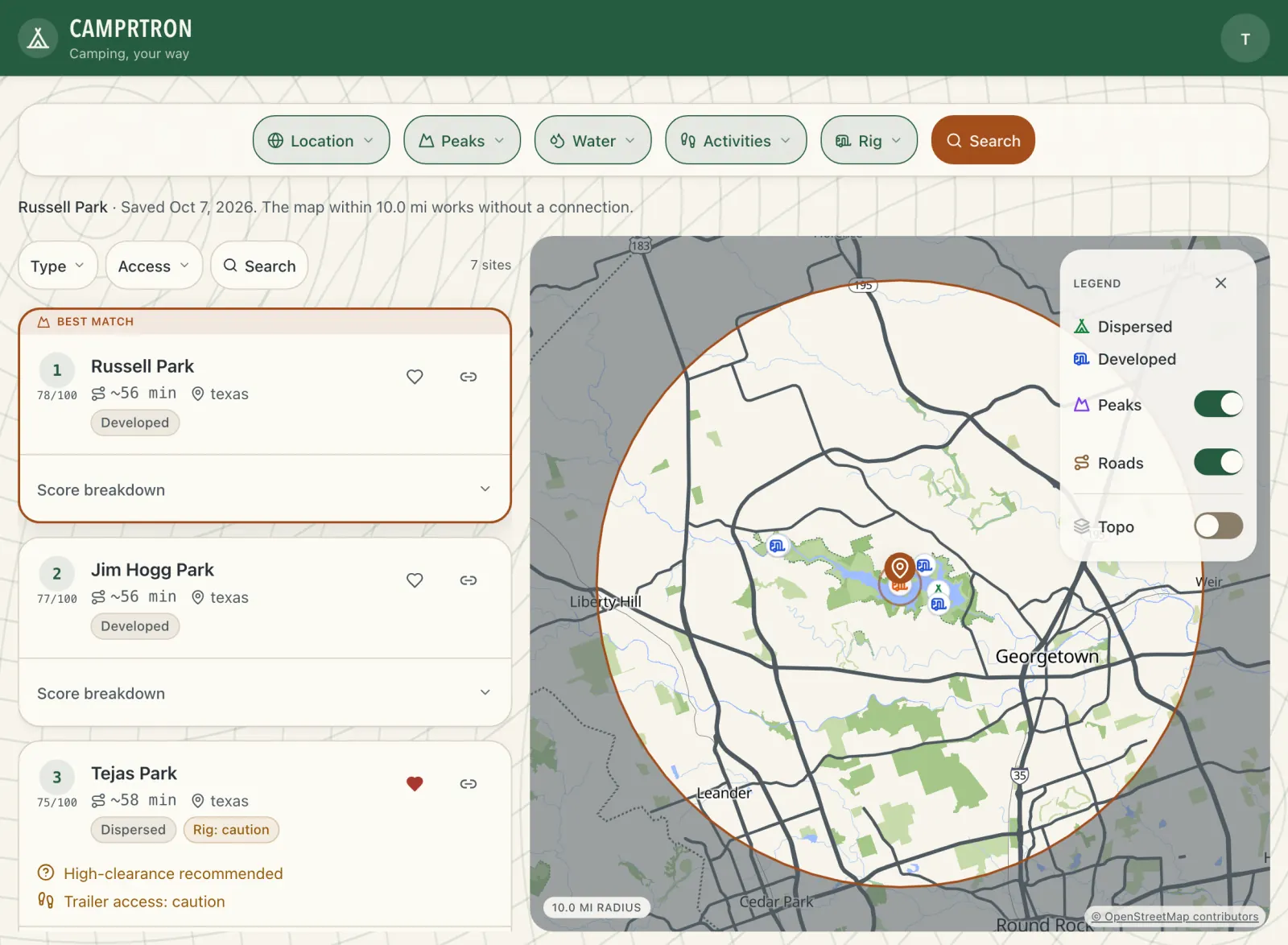
Inside a saved area, the map works without a connection: the basemap, peaks, water, trails and roads, and every campsite in the area with its details. The search results you had on screen when you saved it come with it, ranked as they were.
The app also opens offline as your account, and your saved campsites and searches show as a read-only list from the last time you were online. Anything that needs the server waits for a connection: a new search, live reservation availability, and any change to your lists.
Saved maps open offline for 30 days after Camprtron last confirmed your subscription, which happens each time you use the app online.
Can you check campsite availability offline?
No. Reservation availability changes by the minute and comes from the booking system, such as recreation.gov, so no app can show current availability without a connection. Check availability and book before you leave signal.
In Camprtron, availability is checked when you open a campground, and offline the campground says it cannot load availability instead of showing an old answer.
Why do offline maps disappear from a phone?
Phones clear app and website data when storage runs low. On iPhone and iPad, Safari can also clear a website’s stored data after 7 days without use. A web app added to the Home Screen keeps its data, so add Camprtron to your Home Screen before you rely on saved maps.
Open your saved maps once before you leave signal. If one is damaged or missing, you can still save it again.
Which camping apps have offline maps?
Several do, and they keep different things. The Dyrt can download maps on its free version and offers offline campground search from its PRO tools. onX Offroad saves offline maps with all its layers, including its dispersed-camping layer, one map on the free tier and unlimited on paid tiers. Hipcamp keeps your booking details and Host messages offline but does not offer downloadable maps.
Camprtron saves a 10-mile area around a site with every campsite in it and your ranked results. Our comparison pages list each app’s offline features with a source for every claim.
See the side-by-side list in how Camprtron compares with other camping apps.